Canadian projector buying guide
Best Projector for a Small Office or Meeting Room: A Setup Checklist
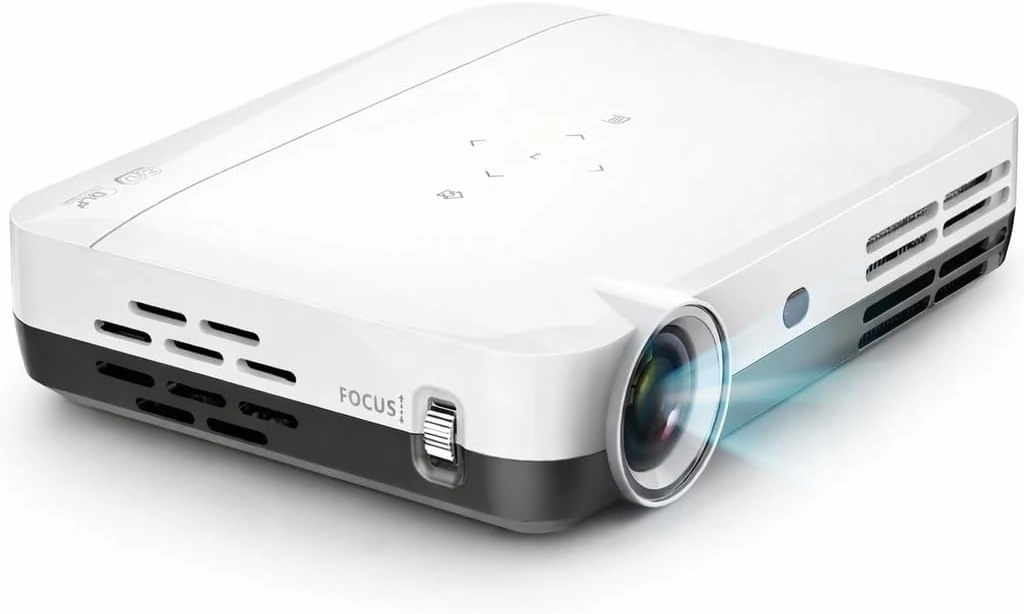
For a small office or meeting room, choose a projector that is quick to set up, connects to every laptop your team uses and stays sharp at the screen size the back row needs. For rooms of roughly four to twelve people, our recommendation is the BOSS A5: a portable native 1080p (1920 × 1080) projector with 4K input support, HDMI, AI-assisted autofocus and automatic keystone correction, light enough (0.45 kg) to move between rooms.
Size the screen for the person furthest away
Meeting-room projection is about reading, not spectacle. Measure from the screen to the furthest chair, then choose an image where your smallest regular text is readable from there. In most small rooms that means a 16:9 image between 80 and 100 inches diagonal, roughly 70 to 87 inches (1.8 to 2.2 m) wide. The A5 is listed for images from 65 to 150 inches, so it covers that range with room to spare.
Epson’s throw-distance and positioning guide shows how image width, lens position and throw ratio relate if you plan a fixed mount. Before you buy a screen or drill a mount, tape the outline of the image on the wall and put a real spreadsheet on a laptop at that size. If the numbers are hard to read from the back, increase the font size in your slides rather than the image: a bigger picture spreads the same light over more wall and looks dimmer.
Choosing a projector for presentations or a meeting room? See our guide to office and meeting-room projectors.
Control the light before you compare brightness
Office lighting is the main reason projected slides look washed out. Ceiling lights directly above the screen and uncovered windows beside it do more damage than any specification can fix. Switch off the row of lights nearest the screen, close the blinds closest to it and keep brighter lighting behind the audience.
We do not publish a measured ANSI brightness figure for the A5, so plan it for a room where light can be controlled. If the room is a glass-walled boardroom in full sun that cannot be dimmed, a large display is usually the better tool, and we would rather tell you that before you order.
Make every laptop connect the first time
The A5 has one HDMI input, one USB port and an AV input. Most laptops connect with a standard HDMI cable. Many newer laptops only have USB-C ports, so keep a USB-C-to-HDMI adapter that supports video output in the room, labelled and attached to the cable. That single adapter prevents most “it worked last week” delays. On Windows laptops, choose “Duplicate” or “Second screen only” from the projection menu; Microsoft’s guide to projecting from a Windows PC explains each mode.
The A5 also runs Android 11 over dual-band Wi-Fi, which is useful for playing a training video or a supported app without a laptop. App availability varies by provider, so test the exact service your team uses. For confidential material, a wired HDMI connection keeps things simple.
Plan the sound for calls and videos
The A5's built-in speaker suits a small huddle room. For a larger table, or when the room joins video calls, pair a Bluetooth speaker or use a wired audio setup, and test that speech stays in sync with the picture. Remember that the projector's speaker is not a conference microphone: keep your existing call equipment for that.
Set up in under a minute
Most small offices do not have a ceiling-mounted projector; they have a projector that lives in a cupboard. That is where autofocus and automatic keystone correction earn their keep. Put the A5 on the table, point it at the screen, and it sharpens and squares the image itself. Place it as square to the screen as you can, because heavy keystone correction can soften fine text, and make a final manual check.
If the room is dedicated to meetings, the included ceiling mount keeps the table clear once you have confirmed the ceiling and the fixing method. Run the HDMI cable to the table position people actually use.
A ten-point meeting-room checklist
- Measure the furthest seat and choose an image of about 80–100 inches.
- Tape the outline and test a real spreadsheet.
- Find the lights and windows that hit the screen and decide how to control them.
- Keep an HDMI cable and a video-capable USB-C adapter in the room.
- Test every laptop model your team uses.
- Test the training video or app you rely on, on the projector itself.
- Decide on speaker or headphones for calls and check lip-sync.
- Choose table-top or ceiling placement; keep the lens square to the screen.
- Write a one-line start-up note and tape it inside the cupboard.
- Keep the remote and spare batteries with the projector.
Our recommendation
For small offices and meeting rooms we recommend the BOSS A5. It is the only BOSS projector we describe for office and presentation use: light, quick to set up, sharp at sensible sizes and the lowest-priced model in the range. Eligible direct orders include a 60-inch screen, a ceiling mount and red-and-blue 3D glasses while the offer is active. For more on choosing, see our guide to office and meeting-room projectors.
Buying for an office in Canada
Prices on CanadaProjector.com are in Canadian dollars and taxes are shown at checkout. Eligible direct orders ship free by expedited service: next business day in the eligible Ontario service area and normally 2–3 business days elsewhere after dispatch. Eligible orders can be returned within 30 days of delivery, and projectors bought directly include a one-year limited warranty. If your office is in the Greater Toronto Area, ask our Canadian support team about a demonstration before you order; elsewhere, send the room measurements and we will help you size the image.
Many Canadian offices share a room between meetings and after-hours training. If that is your case, write down both uses before you choose the screen position, because evening sessions with the blinds open behave very differently from morning meetings in winter light.
Current models and prices
Explore the current models
Review the key specifications and current prices. Open a model for the full details.