
When setting up the ultimate home theater or presentation space, one question often comes up, can projector connect to Bluetooth speaker?
The short answer is yes, most modern projectors, including the Boss Projector series, are designed to connect seamlessly with Bluetooth speakers for a truly wireless, cinema like experience. Whether it’s movie night, gaming, or a business meeting, pairing your projector with a Bluetooth speaker elevates the sound quality and immerses you in the action.
In this article, we’ll explore how projectors connect to Bluetooth speakers, what to look out for, and why Boss Projectors like the S5A Smart Projector, S7 4K Portable Projector, and S8A 4K Portable Projector make this process simple, reliable, and powerful.
Why People Ask, “Can Projector Connect to Bluetooth Speaker?”
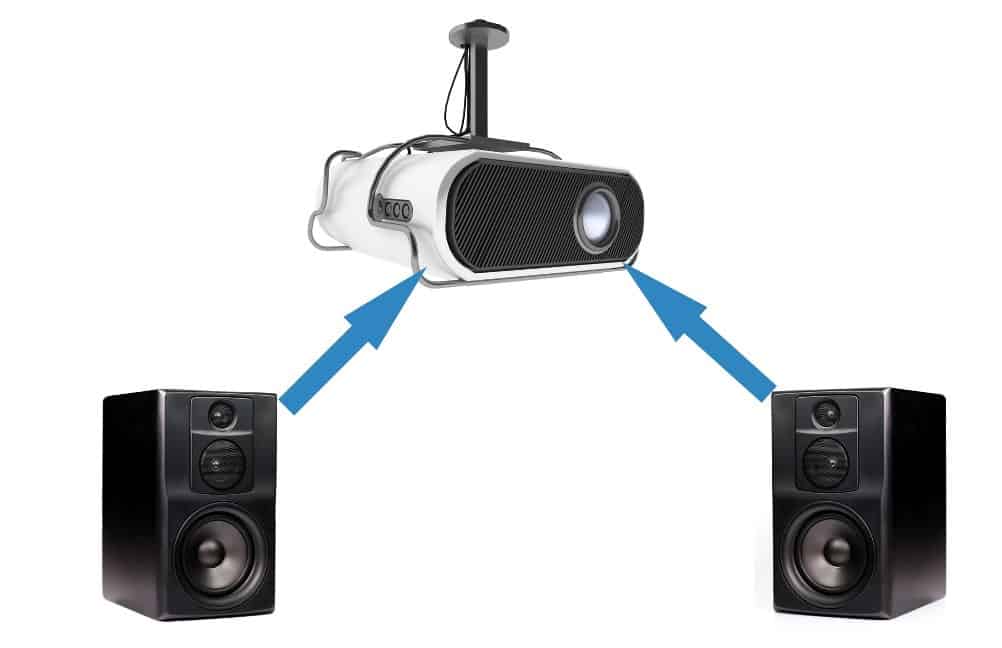
For years, projectors were all about visuals, big screens, bright colors, sharp focus. But now, people want more than just a large picture. They want immersive audio without messy cables running across the room.
That’s why Bluetooth connectivity has become a must have feature. With Bluetooth enabled projectors like Boss’s latest models, users can easily sync their favorite speakers, soundbars, or even wireless headphones.
The result? Cinematic sound without the hassle.
How Bluetooth Connectivity Works in Projectors
Bluetooth technology allows devices to exchange data wirelessly over short distances. When it comes to projectors, Bluetooth serves as a bridge between your visual hub (the projector) and your audio output device (the speaker).
Here’s a simple breakdown:
The projector acts as a transmitter, sending audio signals wirelessly.
The Bluetooth speaker receives the signal, translating it into high quality sound.
You enjoy a cord free setup, perfect for clean, modern living spaces.
Most Boss Projectors feature Bluetooth 5.0, ensuring stable connections and minimal audio delay.
Can Projector Connect to Bluetooth Speaker Directly?
Absolutely, if the projector has built in Bluetooth audio output, it can connect directly to Bluetooth speakers, soundbars, or even headphones.
Each Boss Projector model is equipped with integrated Bluetooth for exactly this purpose.
However, if you own an older projector without Bluetooth capability, you can still make it work using a Bluetooth transmitter. Plug the transmitter into the projector’s audio output jack, and it will send the signal wirelessly to your speaker.
How to Connect Your Projector to a Bluetooth Speaker
Here’s how to connect your Boss Projector to a Bluetooth speaker in just a few minutes:
-
Turn on your Boss Projector (S5A, S7, or S8A).
-
Open the Settings menu.
-
Select Bluetooth and toggle it “ON.”
-
Put your Bluetooth speaker in pairing mode.
-
From the projector, search for available devices.
-
Select your speaker name from the list.
-
Wait for the “Connected” confirmation message.
Once paired, all sound from your projector, movie dialogue, game audio, or presentations, will play through your Bluetooth speaker.
The Best Boss Projectors for Bluetooth Connection
The Boss S5A Smart Projector makes Bluetooth pairing effortless while delivering stunning Full HD 1080p visuals.
Key Features:
4000 lumens brightness for crystal clear image quality.
Built in Android OS with apps like Netflix and YouTube.
Wi-Fi + Bluetooth for wireless connectivity.
Auto Keystone Correction ensures the perfect screen shape.
Built in speakers for convenience (or connect your own for deeper sound).
With its robust Bluetooth connection, users can enjoy a wireless audio setup for movie nights or gaming sessions.
Boss S7 4K Portable Projector
For those who crave 4K brilliance with top tier Bluetooth connectivity, the Boss S7 4K Projector is a top performer.
Key Features:
4K UHD resolution (3840×2160) with 7000 lumens brightness.
3D video support for immersive experiences.
4D Keystone Correction to align your image perfectly.
Built in Wi-Fi, Bluetooth, HDMI, and USB for universal compatibility.
Long lasting lamp with up to 60,000 hours of life.
With its superior sound handling, the S7 connects effortlessly to Bluetooth soundbars or speakers, making it ideal for both home theaters and professional settings.
See the Boss S7 4K Projector at Best Buy here
Boss S8A 4K Portable Projector
The Boss S8A 4K Portable Projector stands out with its combination of Google TV, auto focus, and Bluetooth audio output.
Key Features:
True 4K (3840×2160) resolution with vibrant color reproduction.
Google TV built in, featuring apps like Netflix and Disney+.
Auto Focus and Auto Keystone Correction for instant setup.
Comes with a portable screen and mount.
3GB RAM and 128GB storage for smooth performance.
Wi-Fi and Bluetooth 5.0 for fast, reliable connections.
The S8A can pair with any Bluetooth speaker, from compact portable units to full surround sound systems. It’s perfect for users who want a complete home theater in one device.
See the Boss S8A 4K Projector at Best Buy here
Why Connect Your Projector to a Bluetooth Speaker?
While projectors often come with built in speakers, they can’t compete with the depth and richness of a dedicated Bluetooth speaker.
Here’s why users prefer the wireless audio setup:
Better Sound Quality: Richer bass, clearer dialogue, and cinematic depth.
Wireless Convenience: No tangled cords or complicated setup.
Flexibility: Move your speaker anywhere for the perfect audio angle.
Immersive Experience: Especially when watching action films or gaming.
Boss Projectors ensure synchronized audio and visuals, thanks to low latency Bluetooth transmission, so what you see and hear always matches perfectly.
Common Bluetooth Connection Issues (and Fixes)
Even with advanced Bluetooth tech, occasional hiccups can occur. Here’s how to handle them:
Problem 1: Projector won’t find your speaker.
✅ Fix: Ensure the speaker is in pairing mode and not already connected to another device.
Problem 2: Audio delay or lag.
✅ Fix: Keep your speaker within 10 feet of the projector and minimize obstacles.
Problem 3: Connection drops during playback.
✅ Fix: Repair the devices and make sure both are fully charged.
All Boss Projectors include a 1 year warranty on parts and labor, and their strong Bluetooth hardware minimizes interference and lag.
Can Projector Connect to Multiple Bluetooth Devices?
Some advanced projectors can connect to multiple devices at once (for example, a Bluetooth speaker and a remote). However, for the best audio performance, it’s recommended to connect only one speaker at a time.
Boss Projectors prioritize audio quality and connection stability, ensuring your wireless speaker always receives a clean, uninterrupted signal.
Expert Tip: Best Bluetooth Speakers for Projectors
When choosing a Bluetooth speaker to pair with your projector, look for:
Low latency (under 100 ms) for perfect audio sync.
Long battery life for outdoor movie sessions.
360° sound for immersive experiences.
Bluetooth 5.0 or higher for stable range.
Popular Bluetooth speakers that work perfectly with Boss Projectors include:
JBL Charge Series
Bose SoundLink Flex
Sony SRS-XB43
Anker Soundcore Motion+
Frequently Asked Questions
Yes. Bluetooth works independently of Wi-Fi. You can connect your speaker to your projector even if you’re offline.
Not with modern technology. Boss Projectors use Bluetooth 5.0, which supports high-quality, low-latency audio transmission.
In most cases, no. It’s best to use one audio output to prevent signal conflicts.
Yes. Boss Projectors can pair with any Bluetooth audio device, including headphones, for private listening sessions.
The Boss S8A 4K Portable Projector leads the lineup with advanced Bluetooth 5.0 and high-speed connectivity for smooth, synchronized sound.
Final Thoughts
So, can projector connect to Bluetooth speaker? Absolutely, and with Boss Projector, it’s easier than ever.
Whether it’s the S5A’s Full HD performance, the S7’s 4K cinematic power, or the S8A’s all in one smart setup, every Boss model is designed for the modern user who values both visuals and sound.
By combining crisp imagery with wireless audio freedom, Boss Projector transforms any room into a personal theater, without a single tangled wire.